
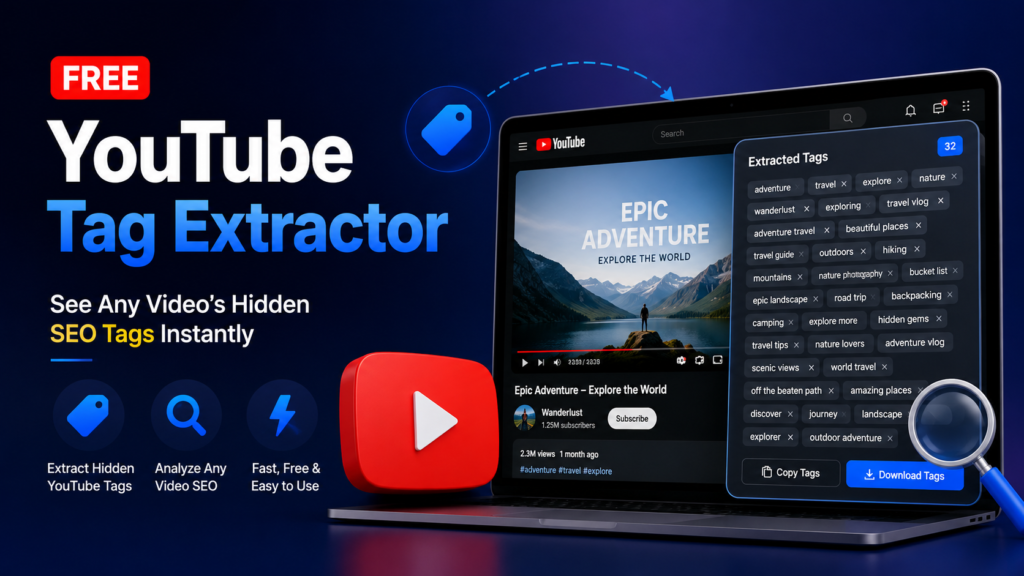
YouTube Tag Extractor: Extract the hidden tags from any YouTube video in seconds. Free, no login, no API key. Copy, download, and reverse-engineer channel SEO. Every video on YouTube carries a set of tags its creator never intended for public viewing, yet they sit in plain sight inside the page’s source code. These tags are one of the clearest windows into how a channel thinks about search: which keywords it’s chasing, how it positions itself against competitors, and what topics the algorithm has been trained to associate with the content. Our free YouTube Tag Extractor pulls that data out in under two seconds, no sign-up, no API key, and no software to install. Paste a link, get the list.
Free Tool
YouTube Tag Generator
Type your video title, pick a niche, get 25+ ready-to-paste SEO tags in one second.
Your Tags
Frequently asked questions
How does the tag generator work?
It pulls the meaningful keywords out of your title, then combines them with proven search modifiers and niche-specific terms creators in your category already rank for.
How many tags should I actually use?
YouTube allows up to 500 characters total. Aim for 10 to 15 well-chosen tags rather than pasting every suggestion, since a focused list is more relevant than a crowded one.
Is this tool free?
Yes, completely free with no account, no limits, and no data leaving your browser.
What Is a YouTube Tag Extractor?
A YouTube tag extractor is a small utility that reads the metadata a creator attaches to a video and displays it as plain text. When someone uploads to YouTube, they fill in a "tags" field in Studio that never appears on the public watch page, but YouTube still embeds it in the page's HTML so its own systems can index the video correctly. A tag extractor simply requests that page, finds the relevant line of code, and lists what it finds. Nothing about this process touches a private account, bypasses a paywall, or requires permission from the channel owner, because the data was already public the moment the video went live.
Why YouTube Tags Still Matter for SEO
There's a recurring debate about whether tags still influence ranking the way they did years ago, and the honest answer is that their direct ranking weight has shrunk as YouTube leans harder on watch time, click-through rate, and viewer retention. But tags haven't become useless, they've become a research tool instead of a ranking lever. They tell you the exact phrases a successful competitor associates with a topic, including misspellings, long-tail variations, and secondary keywords that never made it into the title or description. For a niche like crypto and trading content, where search intent shifts fast between terms like "spot trading," "prop firm," and "smart money concepts," tags reveal what a channel's own keyword research turned up, which is faster than building that list from scratch.
Tags also still help YouTube disambiguate videos with similar titles, and they contribute to the "related videos" and suggested feed logic in a smaller but real way. Treat them as a supporting signal, not a silver bullet.
How to Use the Free YouTube Tag Extractor
Using the tool takes three steps. Copy the URL of any public YouTube video, whether it's a standard watch link, a youtu.be short link, or a Shorts URL. Paste it into the input box on this page. Click "Extract Tags" and the tool returns the full tag list within a couple of seconds, along with the video's thumbnail and title so you can confirm you pulled the right one.
From there, every tag appears as an individual chip. Click any single tag to copy just that word or phrase, or use "Copy all" to grab the entire list at once, comma-separated and ready to paste into a spreadsheet or your own tag field. The "Download .txt" button saves the list as a plain text file for offline reference, which is useful when you're auditing dozens of competitor videos in one sitting and don't want fifty browser tabs open.
What You Can Do With Extracted Tags
The most common use case is competitive research: pull tags from the top three or four ranking videos for a keyword you're targeting, then look for overlap. Terms that show up across multiple top videos are usually safe bets, since several creators independently arrived at the same conclusion about what matters for that topic. The terms that appear in only one video are worth a second look too, since they might represent an underused angle nobody else has claimed yet.
A second use case is auditing your own channel. If a video underperforms, checking whether its tags actually match its title and description is a quick sanity check, since a mismatch there confuses YouTube's topic classification rather than helping it. A third use case is trend-spotting: pulling tags from videos published in the last week on a fast-moving topic (say, a new crypto exchange listing or a regulatory announcement) shows which phrasing is gaining traction before it shows up in obvious places like YouTube's autocomplete.
Tag Extractor vs. Tag Generator
These two tools solve different problems and it's worth keeping them separate. A tag generator takes a title or keyword and suggests new tags for a video you're about to upload, essentially brainstorming from scratch using keyword databases or AI. A tag extractor does the opposite: it reads tags that already exist on a published video. Most serious YouTube SEO workflows use both together, extracting tags from top-performing competitor videos first, then feeding the best of those into a generator to expand the list with fresh variations before finalizing what goes into your own upload.
Best Practices for Using Extracted Tags
Don't copy a competitor's tag list wholesale. YouTube's tag field allows up to 500 characters, and cramming in every tag you find dilutes relevance rather than strengthening it. Instead, pick the ten to fifteen tags most directly related to your own video's actual content, order them from most to least specific, and always include a couple of tags that match your exact title phrase. Reusing a channel-wide branded tag across every upload also helps YouTube associate all of your videos together, which extracted tags from established channels will often reveal as a pattern.
Frequently Asked Questions
Is this tool free to use?
Yes, there's no cost, no account, and no limit on how many videos you can look up.
Do I need a YouTube API key?
No. The tool fetches public page data directly, so there's nothing to configure on your end.
Can I extract tags from a private or unlisted video?
No. The tool can only read data from videos that are publicly visible on YouTube, the same as anyone browsing the site normally.
Will this work on Shorts?
Yes, Shorts links are supported alongside standard watch and youtu.be URLs.